
Close the call. Speak for 10 seconds. Skip 20 minutes of admin.
Sales reps hate manual data entry, so notes go unwritten, deals stall, and follow-ups slip. Valstorm puts your CRM pipeline, business calling, customer texting, and an AI Chief of Staff in one workspace so your team saves 10+ hours a week and closes more deals.
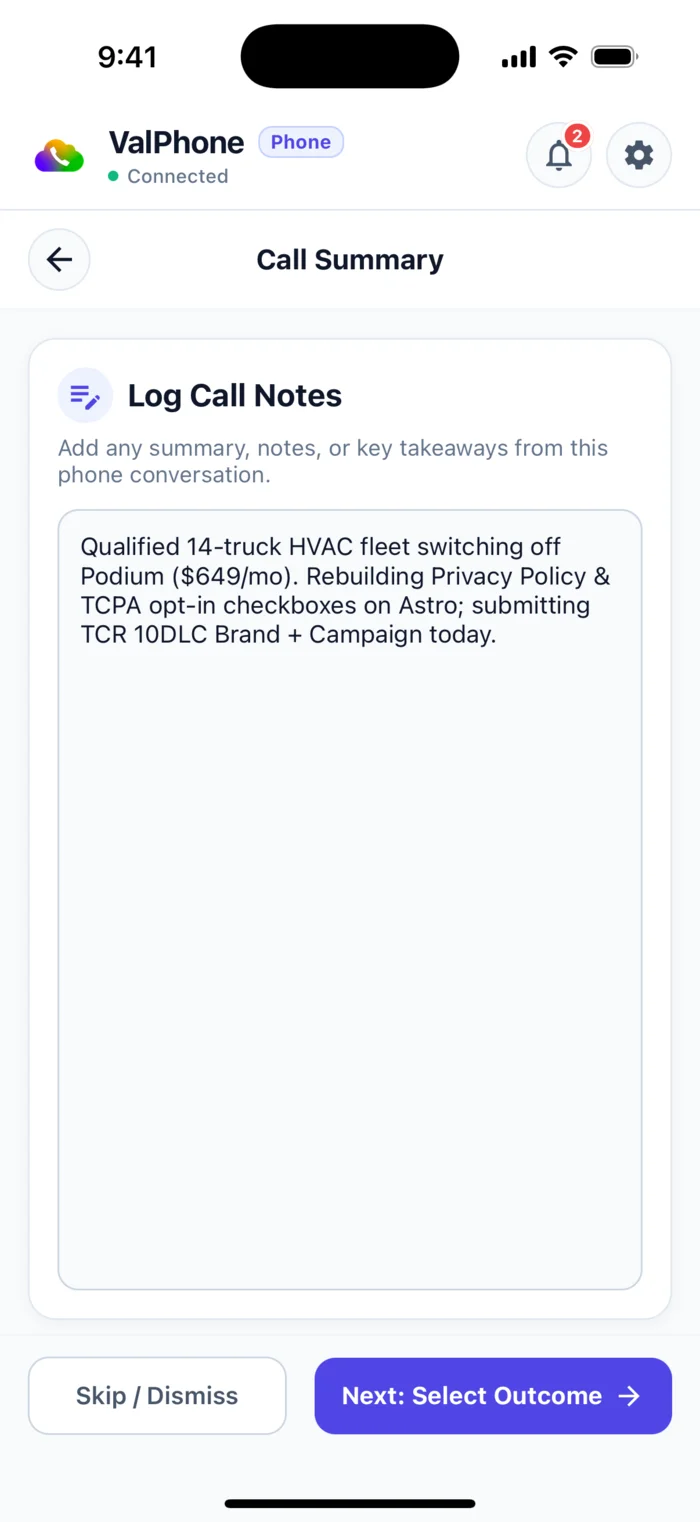
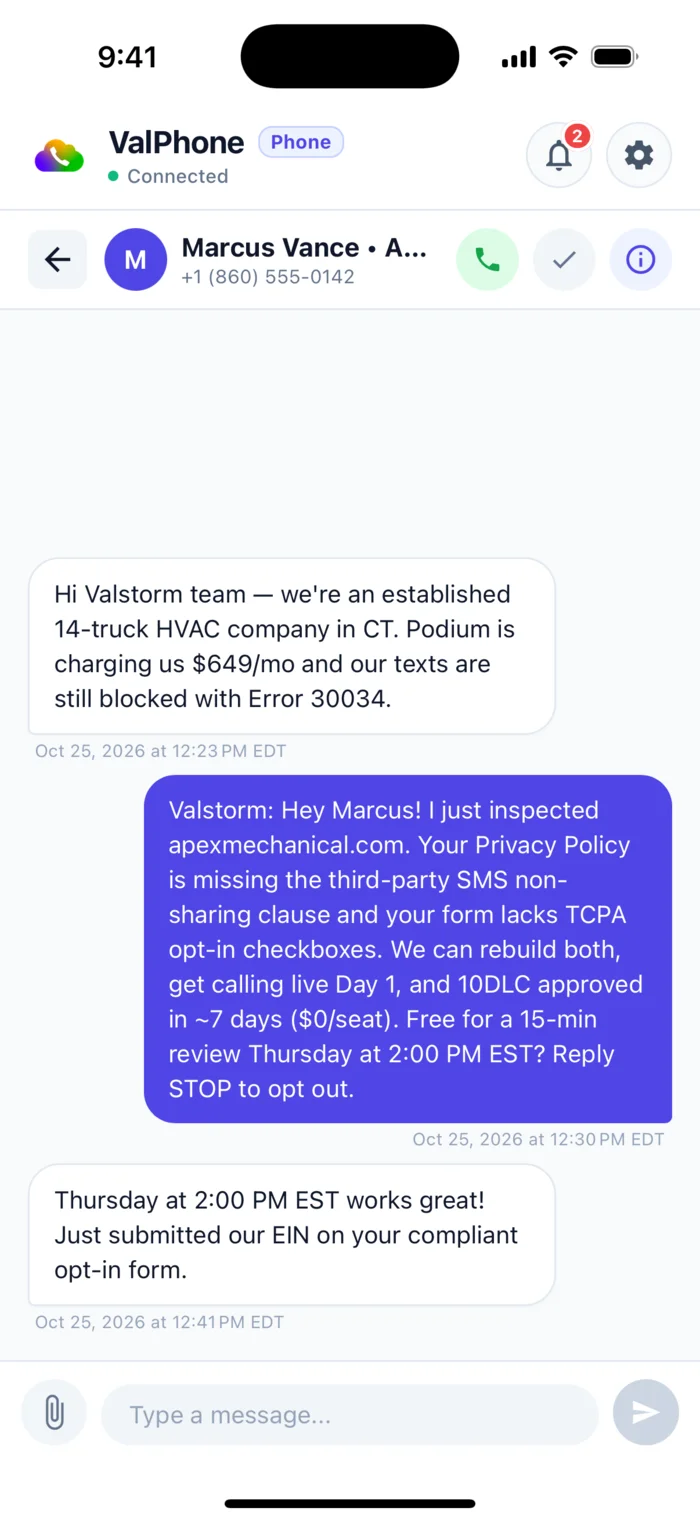
One 10-second voice note. Four sales systems updated in parallel.
Click any step below to jump the video player above to that exact moment in the workflow:
Your pipeline, phone lines, and AI Chief of Staff in one split screen.
No more alt-tabbing between Salesforce, Aircall, Notion, and ChatGPT. Open Valstorm (⌘K) and run your entire sales cycle across three connected panes.
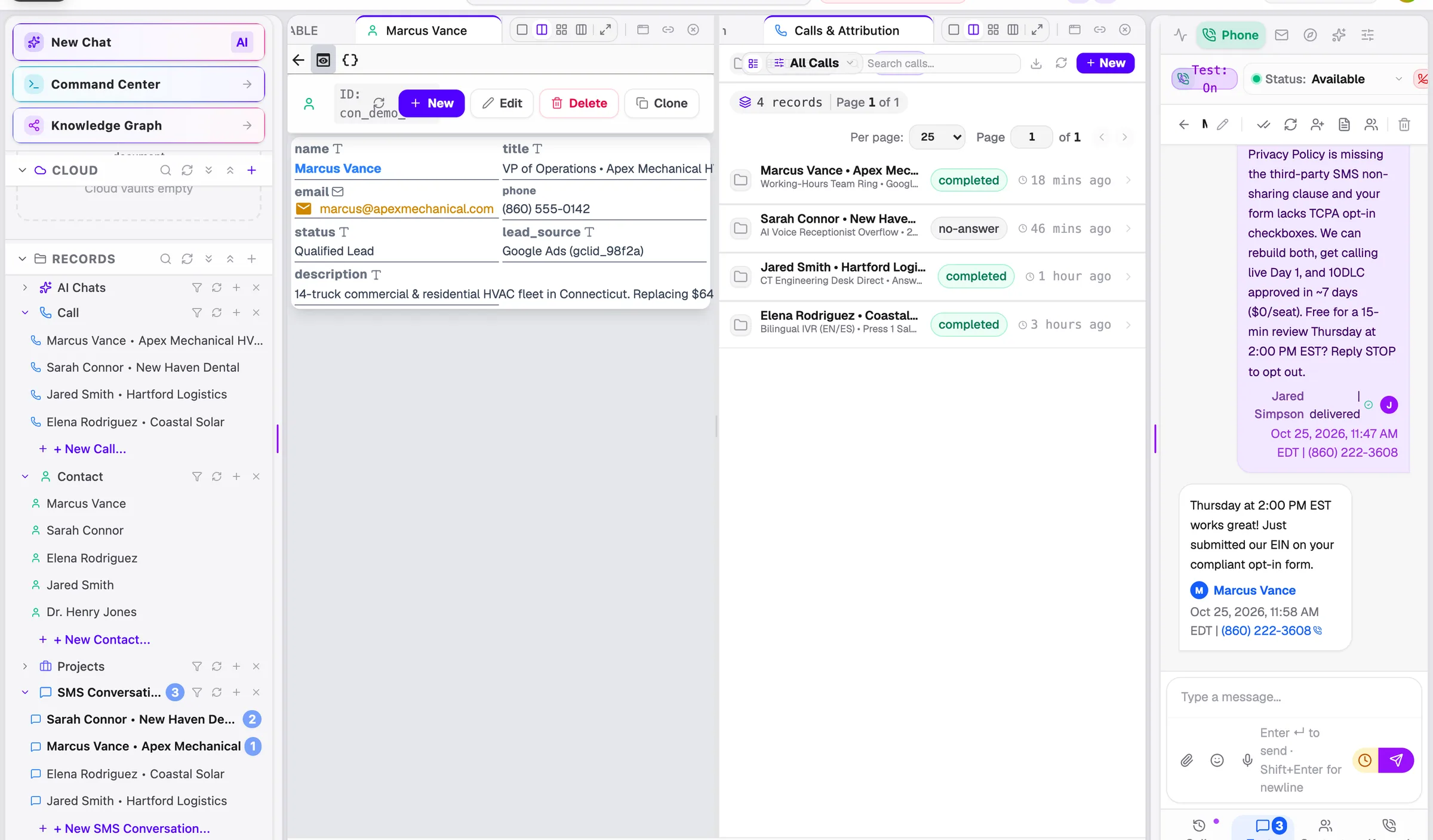
Dial and receive calls directly inside your CRM workspace. Every inbound/outbound call, stereo recording, and AI transcript attaches to the Contact and Deal record automatically.
- High-density tables & drag-and-drop Kanban boards
- Team ring groups + 24/7 AI Receptionist overflow
- Click-to-call & ad-click attribution on every lead
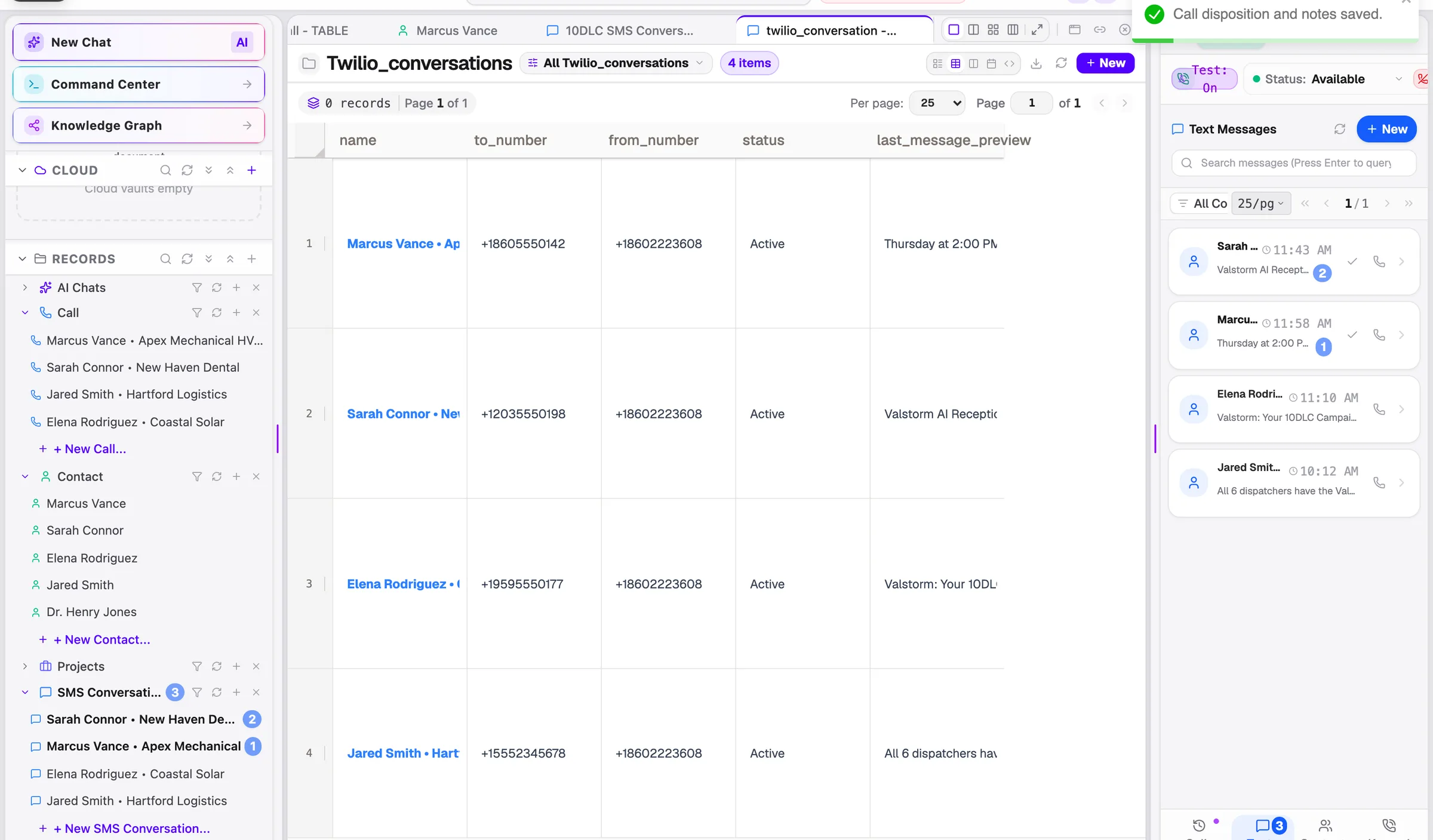
Stop losing buyer conversations on personal cell phones. Text customers from your business numbers in a shared team inbox with automatic SMS and email follow-up sequences.
- 1-on-1 texting and Group MMS threads in one inbox
- Automatic sequences stop the second a prospect replies
- Voicemail drops + instant AI voicemail transcripts
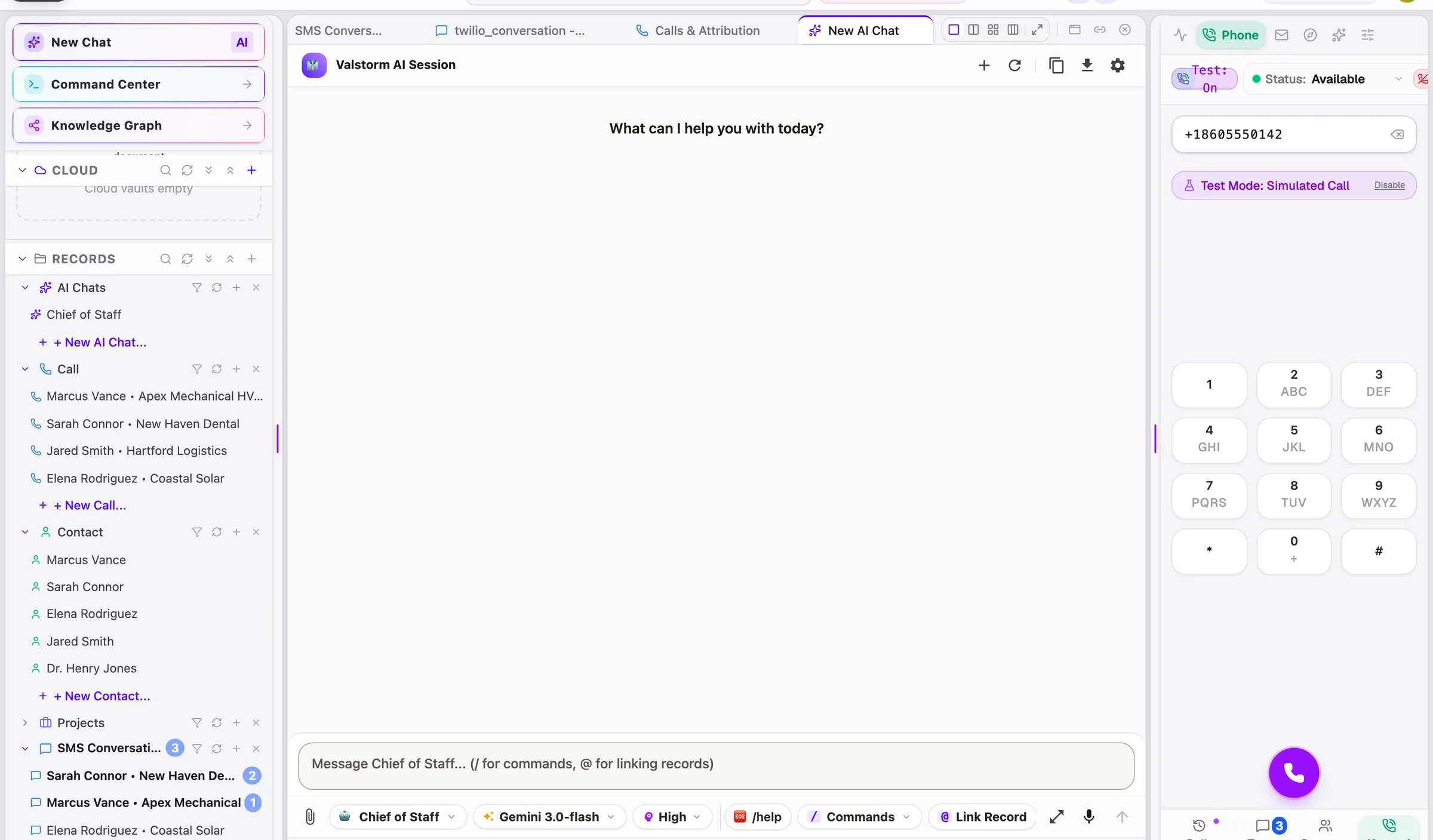
Your AI Chief of Staff reads your pricing sheets and playbooks, spots stalled deals, drafts proposals, and prepares follow-ups behind a 1-click approval gate.
- Live links like [[Client:Apex]] across docs and deals
- 1-click proposal & document generation from deal records
- 99.94% execution accuracy with human sign-off on outbound sends
Keep your existing CRM, or turn ours on in one click.
Connect the tools you already use over OAuth, or turn on Valstorm’s built-in CRM, phone system, and SMS & email sequences whenever you’re ready to stop paying per-seat bills.
 ValRM (Pipeline & Deal Desk) Salesforce · HubSpot · Pipedrive Leads, contacts, accounts, Kanban pipelines, formula fields, and 1-click proposals wired directly into your phone and notes ($0/seat).
 ValPhone (Business Calling, Texting & Voice AI) Aircall · RingCentral · CallRail Shared business numbers, call recording ($0.05/GB/mo), AI transcripts ($0.015/min), 24/7 Edge Voice AI Receptionist ($0.12/min all-in), and Group MMS.
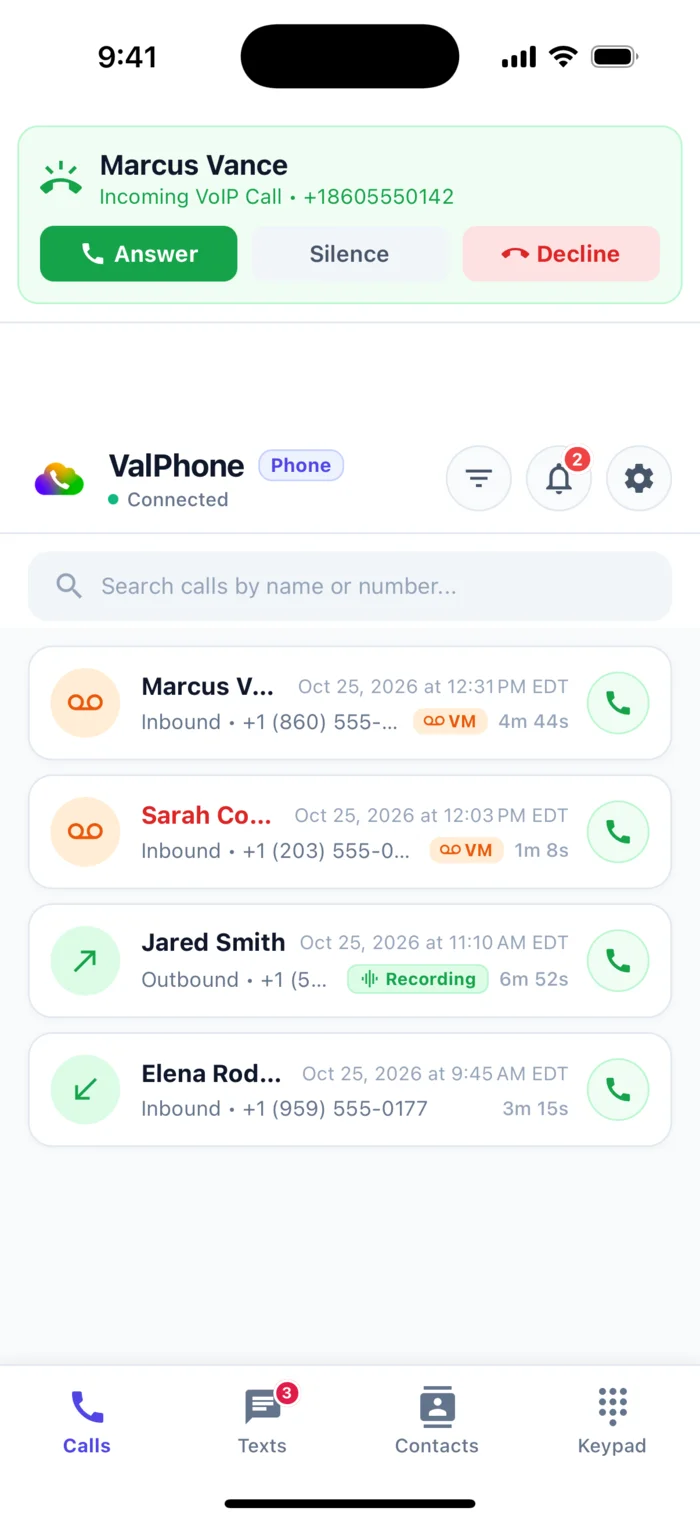
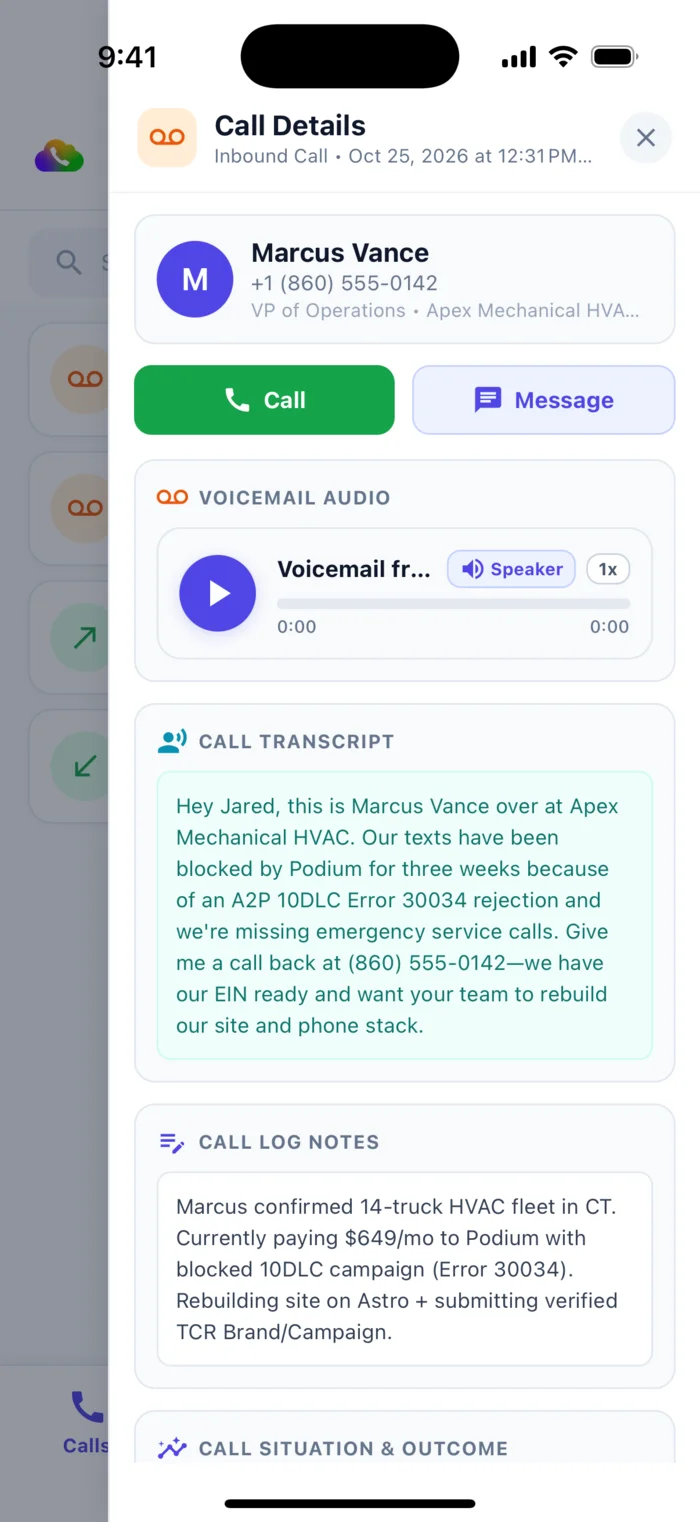
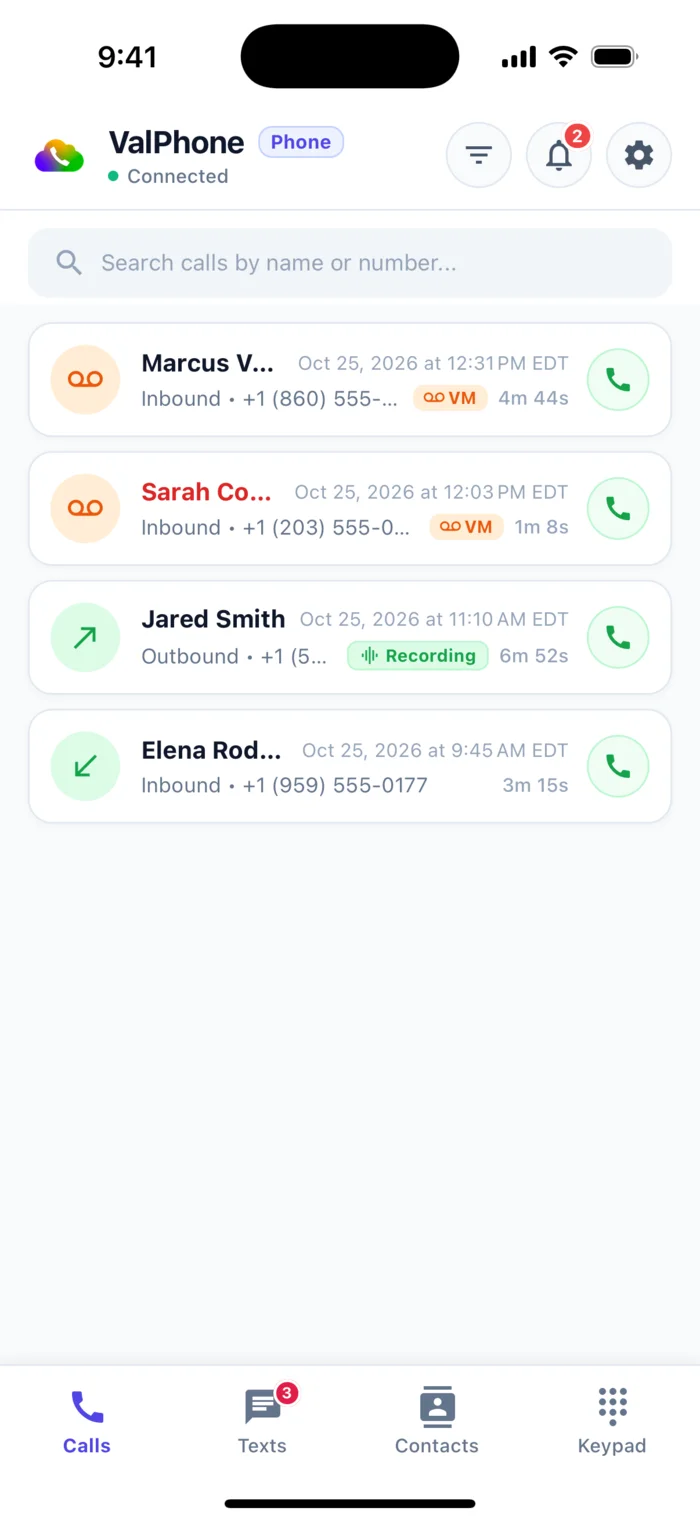
Reps move fast. Managers stay in complete control.
Restrict sensitive margin fields by role at the database layer, require 1-click sign-off on outbound client messages, and stream a full audit trail of every human and AI action.
Enforced at the database, before the prompt.
Click any cell to cycle edit → read → hidden.
Every call, stage change, and approval.
Want us to help you improve your system and train your team to save 10 hours a week?
We have helped 30+ companies streamline their CRM, set up shared business texting so reps can text customers from one place, and automate follow-ups, then trained their teams live to close more deals with less busywork.
- Cut manual CRM admin & busywork
- Save 10+ Hrs/Wk
- Shared business numbers & Group MMS
- Text Customers
- Instant SMS & email follow-ups
- Close More Deals
- Set up, automated & trained live
- 30+ Companies
- 01 Review
We look at how your team currently tracks leads, calls, and follow-ups to spot where time and deals are slipping.
- 02 Connect
We connect the tools you already use or set up a clean, fast pipeline tailored to your sales process.
- 03 Enable Texting
We set up your business phone numbers so your whole team can call and text customers from one shared inbox.
- 04 Automate Follow-Ups
We build your automatic SMS & email sequences so leads get followed up with in seconds, not days.
- 05 Train Your Team
Hands-on live training with your reps so everyone saves 10+ hours a week and closes more deals.
Replace a $27,360/yr sales stack with $25/mo in usage credits.
Every rate is published. Add 5 reps or 50 reps for $0/seat. Your team shares one non-expiring credit wallet for calling, texting, storage, and AI execution.
Published metered rates: $1.00/GB/mo structured database storage · $0.05/GB/mo VFS & call recording cloud storage · $0.0002/call data queries & VFS reads.
$25 Monthly Credits. Pay Only For What You Use.
Every company gets unlimited user seats with $25 in monthly usage credits.
Start with $25 Monthly Credits
100% of your $25/mo converts into non-expiring usage credits for your whole team, with $0 per-seat fees forever. Schedule a 30-minute demo to see it run live on your workflow.